Practical image workflow
Realistic Troll Face: Fictional Character Art
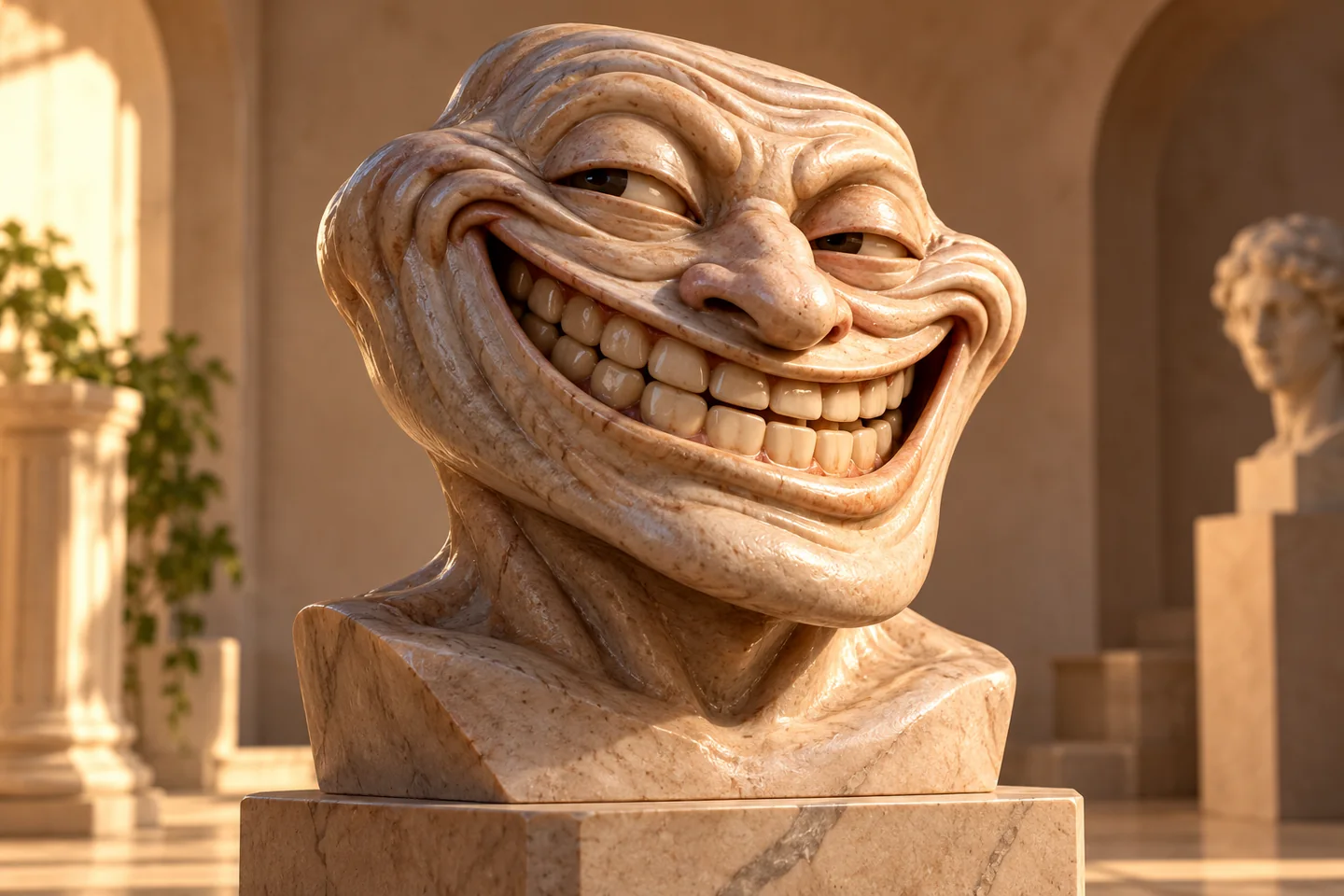
A realistic troll face works best as a fictional creature with a deliberately impossible grin, rather than an insulting edit of somebody's photograph. Build a reaction image for a private joke, game discussion, or imaginary character sheet using text-to-image. Give the character a material, mood, and camera distance so the humor reads without relying on a recognizable person. The illustration is a creative concept, not a documented model result or a real creature; the product generates still images from prompts you submit.
Try this workflowA prompt is prefilled; generation requires sign-in and available credits. Review model cost before submitting.
Prepare your input
- Choose the fictional creature's material, expression, and framing before opening the homepage in text-to-image mode. The Edit shortcut is for a later reference-led revision, not the initial text-only generation.
- Decide whether the joke needs a friendly clay mascot, a weathered stone creature, or an exaggerated studio portrait. Pick one direction so the model can resolve coherent lighting and surface detail rather than conflicting visual cues.
- Sign in and check credits for the selected model. Choose ratio, quality, and output format only where available; leave enough space for any caption you will add accurately in a separate layout tool.
Example prompt
Create an original fictional troll-like creature with a broad impossible grin, asymmetrical stone-textured cheeks, rounded ears, and mischievous but friendly eyes. Render believable clay and weathered stone materials under soft side lighting, with a quiet charcoal background and a close head-and-shoulders composition. The character must not resemble a real person or include a celebrity face. Keep the humor surreal and non-threatening; no injuries, humiliating captions, logos, or copied character design.
Step-by-step workflow
- 1
Make the character unmistakably fictional
Begin with impossible anatomy and a nonhuman material, such as carved stone cheeks or sculpted clay ears. Describe the grin as playful rather than cruel, and exclude resemblance to real people. A specific material gives realism a useful meaning: convincing light and texture on an invented creature, rather than photorealistic humiliation of a classmate, colleague, or public figure.
- 2
Control how the expression reads
Use text-to-image on the homepage and submit a prompt with expression, camera distance, surface material, and lighting. Choose supported model options before starting generation manually. A close portrait makes the grin legible; a wider frame can introduce posture and props but also distract from the joke. Keep the background quiet for the first attempt so you can judge the face independently.
- 3
Review anatomy and joke context
Inspect the eyes, teeth, mouth corners, and ear attachments before sharing. Surreal anatomy can be intentional, but accidental extra teeth or fused features may turn playful humor into something disturbing. If needed, use one generated still as the single reference for an Edit revision. Add captions separately and ensure the finished joke remains about an invented character rather than an identifiable target.
Three ways to make the grin believable without a real face
Realism here describes how a fictional surface responds to light. Choose a material that supports the tone of the joke. These directions are prompt ideas, not selectable sculpting tools, and the generated output remains a flat image rather than a usable 3D character.
Clay mascot: lighthearted reaction
Ask for rounded forms, shallow tool marks, and broad soft highlights. A slightly uneven smile can suggest handmade charm without looking threatening. Check that the eyes stay friendly and that skin-like realism has not crept into the design. A simple bust leaves room for a short caption outside the image.
Weathered stone: absurd ancient confidence
Use chipped edges, fine mineral texture, and gentle side lighting to make an impossible grin feel like a carved object. Keep cracks shallow and away from the mouth if you want a comic rather than horror effect. Inspect whether tooth shapes remain distinct instead of merging into a rough stone stripe.
Studio creature: exaggerated expression study
Describe a fictional nonhuman face with restrained surface detail against a neutral background. Let camera angle and cheek shape carry the expression instead of adding celebrity references. Review the silhouette at small size, where the joke must still read, and reject unexpected resemblance to a recognizable person.
Limitations and responsible use
- This workflow generates an original fictional still, not an authenticated meme template, licensed character asset, or 3D sculpt. Photographic lighting does not make the creature real or provide a production mesh for games.
- Smiles and teeth may render unpredictably; exclusions are not guaranteed. Inspect for disturbing details and unwanted resemblance before publishing a reaction image or mascot.
- Do not use another person's likeness for targeted humiliation. Safety filters may reject requests; generation requires credits and a manual submission. No free quota, exact visual repeatability, or model-independent character consistency is promised.
Common questions
Can I make the troll look like someone I know?
Keep this workflow focused on an invented creature. A joke aimed at an identifiable person can become humiliating even when the creator calls it a meme. Use fictional anatomy, nonhuman materials, and original styling to make the expression funny without borrowing a real person's face or suggesting their participation.
How do I avoid making the smile look like horror?
Ask for rounded teeth, relaxed eyes, soft lighting, and a friendly expression. Avoid torn skin, deep mouth shadows, and aggressive camera angles. Inspect the actual result because written instructions do not guarantee tone; a simpler clay material may communicate a playful joke more clearly than highly detailed skin.
Can I reuse the same creature in several reactions?
Use a chosen generated image as one reference for a later Edit request and describe the expression change. The editor accepts one JPEG, PNG, or WebP reference up to 15 MiB. Expect possible changes to shape and texture; a matching prompt does not guarantee a consistent character across a complete reaction pack.