Practical image workflow
Photo to Cartoon: Convert the Whole Scene
Photo to cartoon is most useful when the whole moment matters: a picnic, a pet on the sofa, or friends around a kitchen table. The challenge is making people, objects, and background share one drawing language while preserving the relationships that tell the story. This guide covers whole-scene conversion, distinct from the portrait-avatar focus of Get Cartoon Pics. The illustration suggests a coherent cartoon treatment; the real workflow generates a new still from one reference, so composition and personal details still need inspection.
Try this workflowA prompt is prefilled; generation requires sign-in and available credits. Review model cost before submitting.
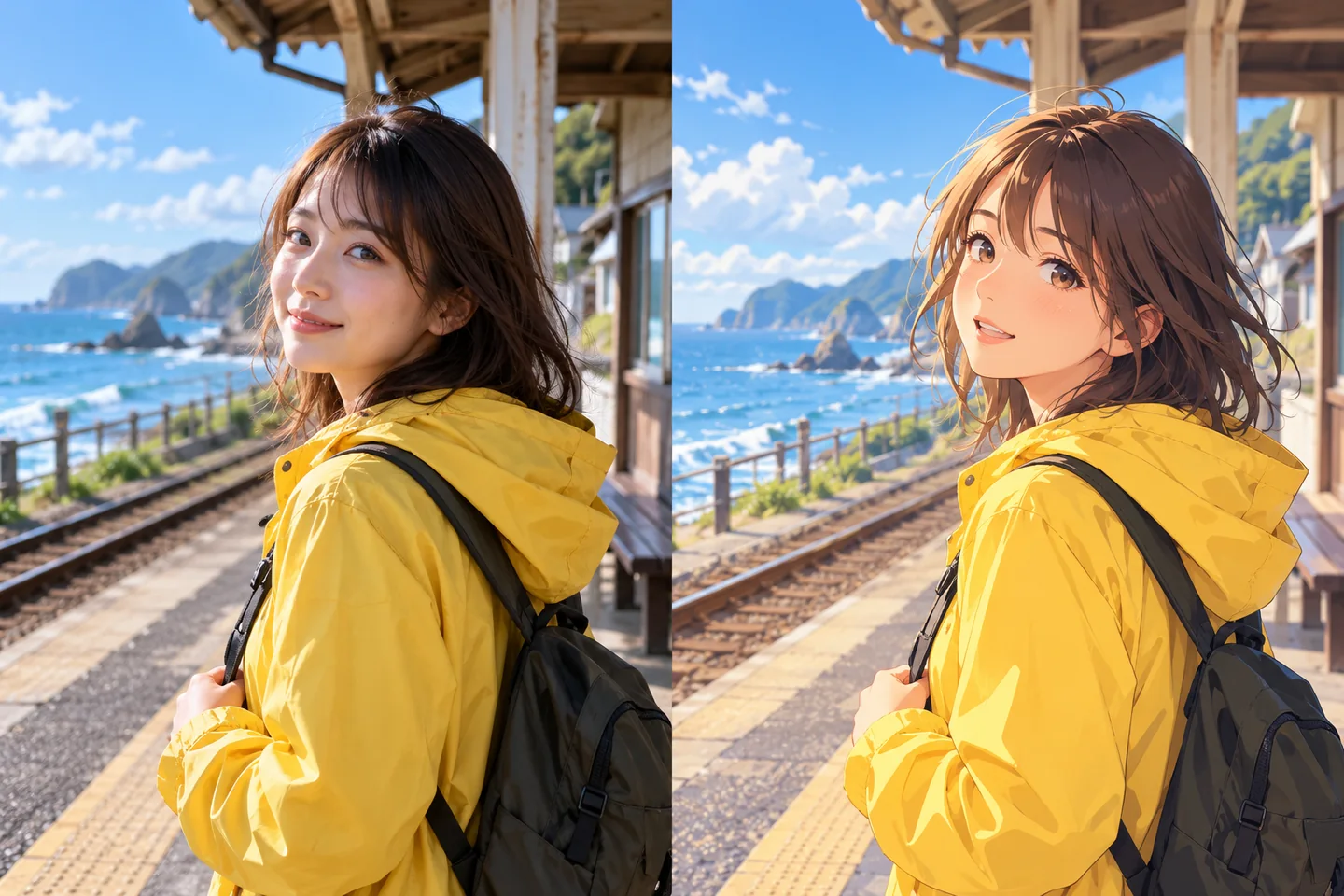
Prepare your input
- Upload one reference in Edit as JPEG, PNG, or WebP up to 15 MiB. Choose an uncrowded scene with clearly separated subjects rather than several tiny faces hidden behind objects.
- List the relationships that matter: the dog beside the child, the cup on the table, or two friends sitting together. Obtain permission from recognizable people and avoid exposing private background information.
- Sign in and review credits. Choose the model's available framing and quality options, keeping a ratio close to the scene when possible so important edge subjects are less likely to be omitted.
Example prompt
Convert this photograph I own into a cohesive whole-scene cartoon. Everyone pictured has agreed to this use. Use clean medium-weight outlines, simplified rounded shapes, and a restrained warm palette across the people, pet, blanket, trees, and background. Aim to keep the visible group arrangement, poses, and main objects recognizable. Do not isolate a head as an avatar or leave a photographic background. Avoid extra people, limbs, labels, and branded lettering; keep the moment friendly and natural.
Step-by-step workflow
- 1
Read the scene as a set of relationships
Identify who or what carries the memory, then note where those subjects sit relative to one another. Separate essential objects from background clutter. A prompt saying only cartoonize my photo leaves the model to decide whether the face, pet, or setting matters most. Name the entire scene and its key relationships so the request is broader than a portrait effect.
- 2
Apply one drawing language everywhere
Open Edit, attach the single reference, and specify outline weight, shape simplification, palette, and background treatment. Choose supported model settings and start generation manually. Ask explicitly for the whole scene to be drawn, including furniture and landscape. Avoid mixing anime faces, glossy three-dimensional pets, and flat comic backgrounds in the first request; consistency is easier to inspect with one clear style.
- 3
Count subjects and check shared objects
Compare the output with the source from left to right. Count people and pets, inspect hands around cups or toys, and verify that shared objects remain attached to the right subject. Check whether the far background also uses the chosen style. If a key relationship changes, retry from the original reference with that relationship emphasized instead of accepting a pleasing but different scene.
Does the cartoon still tell the same small story?
A strong scene conversion is judged by continuity as well as style. Use these checks before sharing a family keepsake or event image. They are manual review tasks, not an identity lock or a guarantee that the model preserves the original arrangement.
Foreground relationships remain legible
Check the spaces between people, pets, and nearby objects. Simplified outlines can merge a hand with a cup or place a leash on the wrong animal. The exact texture may change, but the main action should still make sense. Reject missing subjects, invented interactions, or a different expression that alters the moment.
Objects use the same visual rules
Compare faces, clothing, tableware, and furniture for outline weight and shading. A photo-like chair beside a flat cartoon person breaks the scene's coherence. Ask for a consistent treatment of all visible objects rather than adding more style words to the faces alone, and inspect repeated objects for accidental duplication.
Background supports rather than replaces the setting
Look at trees, walls, windows, and distant shapes. They may be simplified, but they should not become an unrelated location unless you requested one. Check that no private sign or house number has become newly readable. A quiet drawn background often works better than dense generated detail around already busy subjects.
Limitations and responsible use
- Whole-scene generation may change faces, subject count, poses, and object placement. No identity or detail-preservation guarantee applies; inspect the result before presenting it as a memory of a real event.
- This produces a raster still, not animation, layered comic panels, editable outlines, or a reusable character rig. Generated text and small logos may be inaccurate; add exact captions separately.
- Output controls depend on the model and safety filters may reject requests. Credits are required, with no promised free quota. The editor accepts one reference; multi-reference composition is only available on the homepage within supported model limits.
Common questions
Why use this instead of the avatar guide?
Use this page when the setting and interactions matter as much as the faces. Get Cartoon Pics focuses on a portrait or avatar. A whole-scene prompt names furniture, pets, landscape, and relationships so the model is asked to transform the entire image rather than isolate a head.
Can everyone in a group photo stay recognizable?
You can request recognizable arrangements and features, but there is no guarantee. Small, overlapping faces are particularly difficult to judge. Use a clear source, get permission, and compare every person afterward. If someone disappears or looks substantially different, retry with a simpler scene rather than assuming the first cartoon is faithful.
What if the background stays photographic?
Explicitly ask for the entire frame, including the room or landscape, to use the same outlines and simplified shading. Name one background anchor that should remain recognizable. Start again from the original photo; repeatedly cartoonizing partial results can introduce drift without fixing the mixed visual treatment.