Practical image workflow
Passport-Style Portrait Mockup Guide
A passport editor search can mean two different tasks: preparing an official application photo or exploring the look of a centered headshot. This workflow covers only the second task. Make a passport-style portrait mockup for a fictional travel journal, presentation, or layout study using a consented image. The illustration is a design example, not evidence of acceptance. For an actual application, obtain an unaltered capture that meets the issuing authority's requirements; an AI-edited portrait is not a valid substitute.
Try this workflowA prompt is prefilled; generation requires sign-in and available credits. Review model cost before submitting.
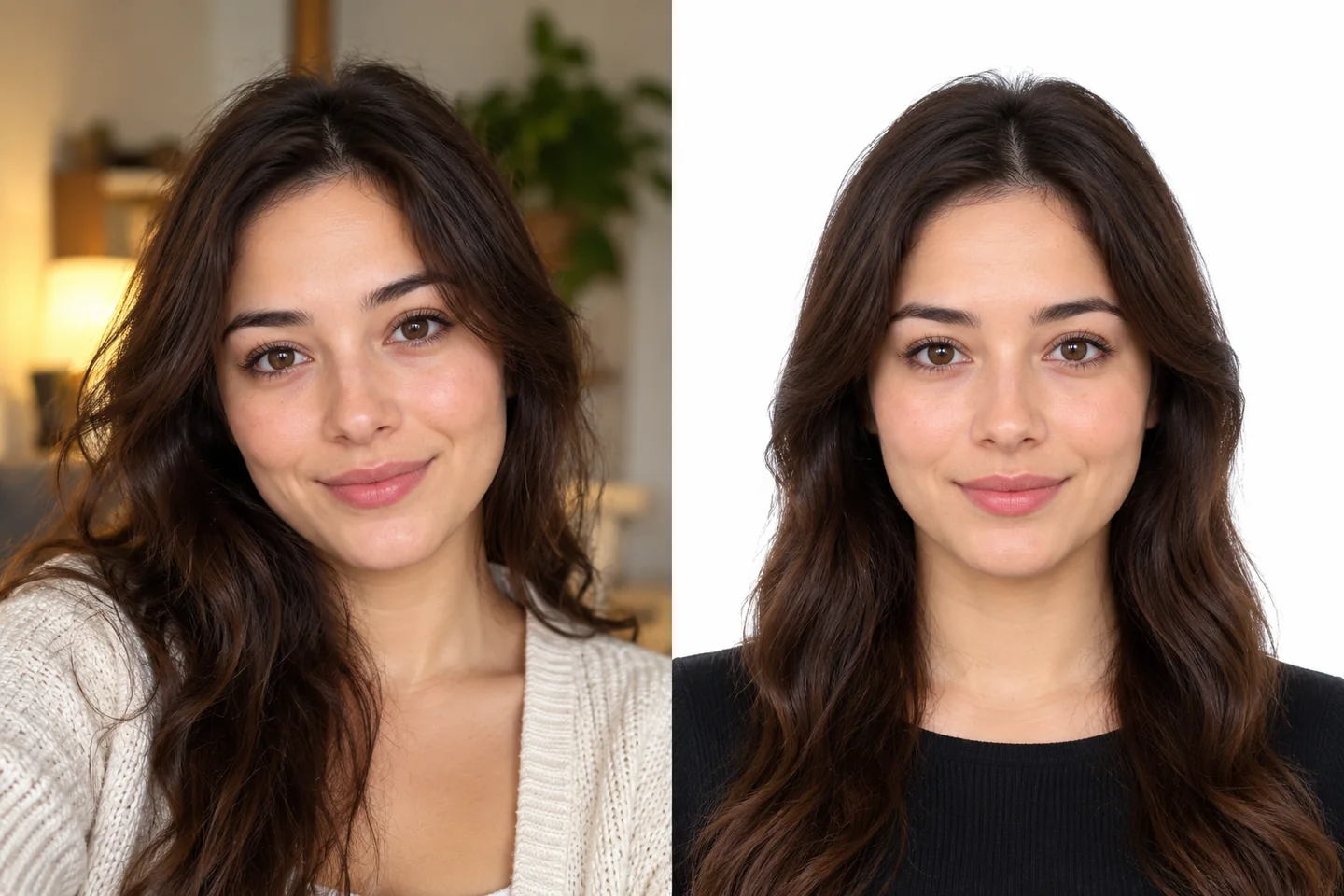
Prepare your input
- Upload one reference in the Edit workspace: JPEG, PNG, or WebP up to 15 MiB. Choose a clear headshot with the entire hair outline and both shoulders visible rather than a scan of an identity document.
- Decide where the mockup will appear and reserve room in that layout for a separate illustrative label. Do not upload passport numbers, machine-readable zones, addresses, or other document information to create the portrait.
- Use a photo with the subject's permission. Sign in, review the credits required, and keep a separate untouched source if you later need a real photograph for an issuing authority's application process.
Example prompt
Create a centered head-and-shoulders portrait mockup from this photo of me or a consenting adult. Use a simple pale background and even-looking soft light for a fictional travel journal layout. Aim to retain the visible expression, hairstyle, and clothing without beautification or age changes. Do not add a passport, government emblem, identity number, security pattern, or official certification. This is a creative portrait study, not an application photograph.
Step-by-step workflow
- 1
Confirm the destination is creative
Before uploading, decide whether the image is for a fictional journal or an official submission. If it is an official submission, stop this AI workflow and follow the relevant authority's capture instructions. For a creative study, choose a source with uncomplicated lighting and sufficient space around the head. That makes centered composition easier to request without inventing a missing hairline or shoulders.
- 2
Build the portrait mockup
Use Edit with the single reference and describe a centered portrait, quiet background, and even-looking light. Select a supported model and only the framing or quality options it exposes. Submit the generation yourself after reviewing the prompt and credit requirement. A square or upright ratio can guide composition, but neither choice certifies the printed dimensions or head measurements required by an authority.
- 3
Keep the mockup out of the application
Inspect the eyes, ears, hair edge, neck, and clothing for unintended changes. Reject distorted or over-smoothed results even for a fictional layout. Place any final illustrative label in your layout software, where its wording remains editable. Store the generated file separately from application materials so a visually tidy mockup cannot be mistaken for the unaltered capture intended for official use.
Which portrait task are you actually completing?
Use these destination checks before choosing a background or crop. A neat portrait can still be unsuitable for official use. This page offers a creative image handoff, with no compliance validator, certified sizing, or application approval service.
Fictional journal or presentation
A centered portrait can establish a travel-themed visual without reproducing an identity document. Keep the image separate from seals and security elements, and add a visible mockup label in the surrounding design. Evaluate expression, framing, and visual consistency as creative choices.
Real passport or visa application
Use the issuing authority's current instructions and an acceptable unaltered capture. For example, U.S. passport guidance explicitly rejects changes made with AI. A generated pale background or corrected face can look convincing while still making the image inappropriate for that application.
A request for exact physical sizing
Move the measurement task to the official process or suitable photo-layout software, using the original capture. An aspect ratio only describes shape; it does not verify head size, print scale, age of capture, or other authority-specific conditions. Do not infer compliance from a successful export.
Limitations and responsible use
- This creative mockup is not for official ID submission. Standards and allowed adjustments vary by authority; follow their approved capture process instead of relying on a generative edit or the example illustration.
- Prompt instructions cannot guarantee identity, expression, or fine-detail preservation. The editor does not certify biometric proportions, background values, physical print dimensions, or whether an application photograph will be accepted.
- Available output settings depend on the model. Safety filters may reject a request, and generation requires credits; there is no promised free allocation, automatic conversion, or official document production capability here.
Common questions
Can I submit the AI version if it looks like me?
Do not use this workflow for a real passport application. Appearance alone does not establish compliance. U.S. guidance rejects AI alterations, and other authorities have their own conditions. Start with an acceptable original capture and check the authority handling your application rather than judging validity from the generated preview.
Does selecting an upright ratio make a compliant passport photo?
No. A ratio guides the shape of the generated canvas, not its certified physical size or the measured position of the head. Even a file with convenient proportions may have altered facial details. Use the original capture and the authority's approved sizing process for actual applications.
Can I use this for a travel-themed invitation?
Yes, as a clearly illustrative portrait with permission from the subject. Keep it out of realistic government document layouts and avoid numbers, seals, or verification claims. Add exact captions in your design software after generation, because text rendered inside an AI image may contain errors.