Practical image workflow
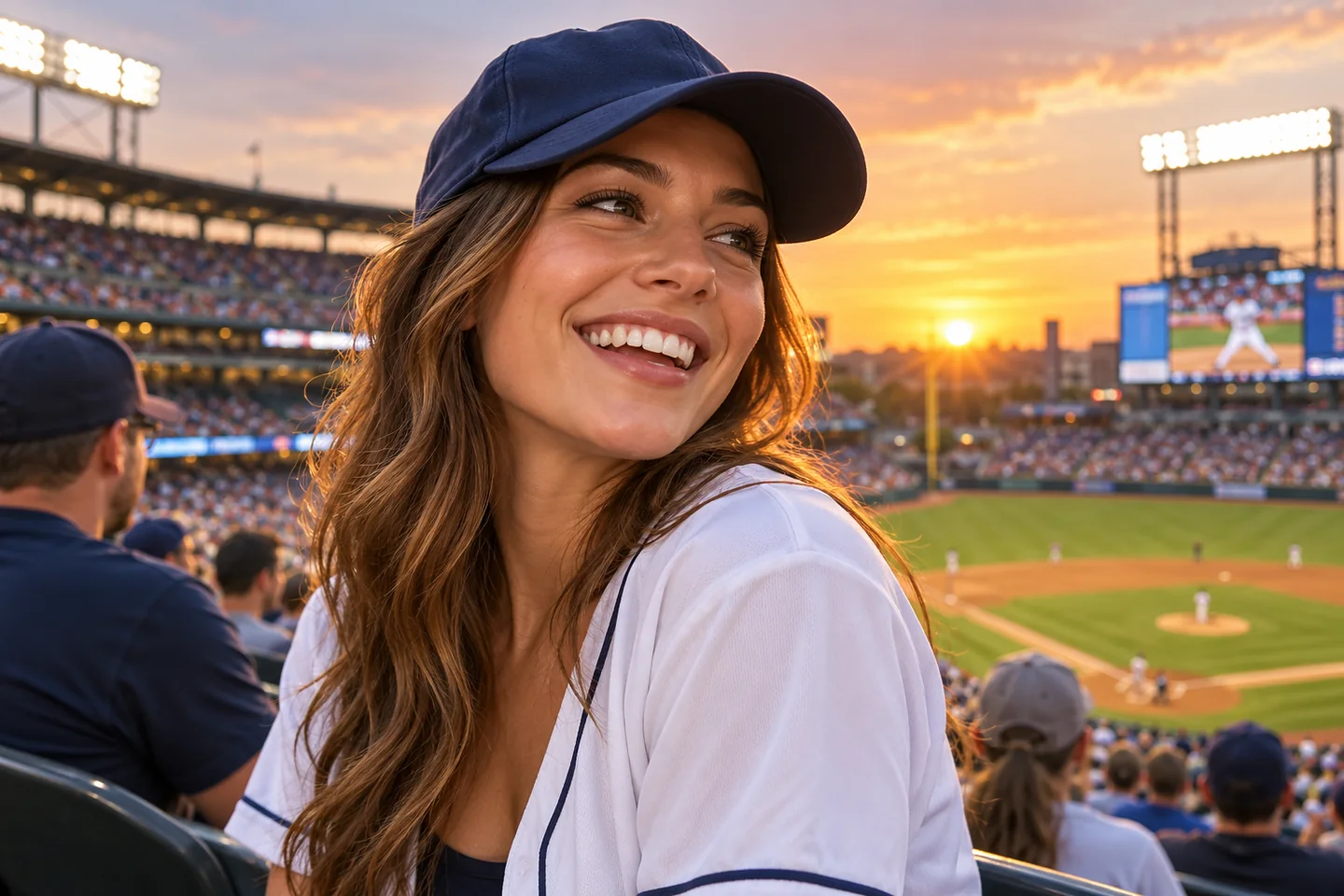
Korean Baseball Fan-Cam Inspired Still
A Korean baseball fan-cam inspired image borrows the atmosphere of a lively stadium crowd: warm field lights, colorful seating, and a cheerful spectator framed by the camera. Use it as fictional fan art for a social post or personal mood board, not as proof of attending a game. Start with your own portrait or a consenting person's image. The illustration is an imagined scene. The real product creates a still-image interpretation; it does not access a live broadcast, insert someone into actual footage, or verify attendance.
Try this workflowA prompt is prefilled; generation requires sign-in and available credits. Review model cost before submitting.
Prepare your input
- Upload one reference in Edit as JPEG, PNG, or WebP up to 15 MiB. Choose a clear portrait with visible shoulders and comfortable lighting; do not use an unconsented bystander's face from a broadcast.
- Choose a fictional fan palette, an evening or daytime atmosphere, and a simple pose. Avoid real game dates, stadium claims, club uniforms, broadcast logos, and identifiable spectators in the surrounding scene.
- Sign in and check credits before generating. Select ratio and quality only from the model's available controls; plan a separate caption that describes the image as fictional fan art.
Example prompt
Create a fictional baseball fan-cam inspired still using this portrait of me or a consenting adult. Place the subject in an imagined lively Korean-style baseball stadium atmosphere with warm evening lights, soft colorful seating, and an original unbranded teal fan shirt. Aim to retain the visible expression and hairstyle. Keep nearby spectators indistinct and fictional. Do not add real team logos, broadcaster marks, scoreboards, dates, celebrity players, or captions claiming actual attendance. Make a cheerful imagined fan scene, not a broadcast screenshot.
Step-by-step workflow
- 1
Separate fan atmosphere from event evidence
Write the creative purpose first, such as an imagined game-night portrait. Choose original clothing colors and avoid naming an actual match. A reference face guides appearance, while the seating, lights, and crowd are invented context. This distinction should also guide the caption: a fictional fan scene can be playful without suggesting the person was photographed at a real event.
- 2
Build a plausible spectator composition
Open Edit with the single portrait and request an imagined stadium setting, consistent light on the face, and a quiet fictional crowd. Choose supported model options and submit generation manually. Ask for unbranded clothing rather than exact team merchandise. A medium portrait is often easier to inspect than a wide crowd shot with many small faces, signs, and accidental broadcast-like details.
- 3
Inspect the scene before adding context
Compare the face and hairstyle with the source, then inspect hands, seat edges, and lighting around the shoulders. Remove or reject unintended team marks, readable scoreboards, or broadcaster-style overlays. Add any exact words separately and explain that the scene is imagined when sharing it. If the setting overwhelms the person, retry from the original portrait with a simpler crowd and fewer props.
Keep the fan-cam mood clearly fictional
The useful reference is a visual mood, not the authority of a television image. Review the portrait, surrounding clues, and caption together. These checks do not verify attendance or recreate a real broadcast; they help an imagined still communicate honestly and coherently.
Face and setting share believable light
Compare the direction and color of light on the face with the stadium atmosphere. A daylight selfie placed into warm night seating can look pasted in unless the generated lighting becomes coherent. Check the hair edge and shoulders for halos, and reject identity drift rather than accepting a good background at the person's expense.
Crowd details do not impersonate an event
Keep neighboring spectators indistinct and invented. Inspect for accidental real logos, readable match information, or graphic overlays that resemble a broadcaster's layout. Generic seating and original fan colors convey the atmosphere without claiming access to a live camera or documenting a particular game. Avoid identifiable real people in the background.
The caption describes an imagined moment
Use a simple statement such as fictional game-night fan art rather than a date, seat number, or claim of being spotted on television. Add it in an editable publishing tool, where wording can be checked. The surrounding post matters because an honest image brief alone cannot prevent a misleading interpretation after sharing.
Limitations and responsible use
- This is a fictional fan-cam inspired still, not an actual broadcast frame, stadium photograph, or attendance record. The product has no live-feed access and does not insert a person into recorded footage.
- Identity, clothing, hands, and crowd details may change. The editor offers prompt guidance rather than exact face preservation or a licensed team-uniform template; inspect every recognizable element before sharing.
- Available outputs depend on the model, safety filters may reject requests, and generation requires credits. No free quota or automatic processing is promised. Obtain consent and avoid implying participation by people who did not agree.
Common questions
Can I say I appeared on a stadium broadcast?
No. The generated scene does not establish that you attended a game or appeared on television. Describe it as fictional fan art, and avoid dates, scores, or broadcaster graphics that imply otherwise. If documenting actual attendance matters, use a genuine photograph and accurate context rather than this creative interpretation.
Can the shirt show my favorite real club's logo?
This guide uses original, unbranded fan colors. The workflow does not supply licensed merchandise artwork, and small logos may render inaccurately. A fictional palette is enough to create a lively fan portrait without suggesting a team endorsement or reproducing official kit details.
Will it create a cheering video from my selfie?
No. This is a still-image editing workflow, with no video, sound, or motion controls. You can request a cheerful pose in one picture, but not a timed cheering sequence. Use a separate video application if needed, and keep the subject's permission and fictional context clear in any later use.