Practical image workflow
Make a Decorative Pixelated Image
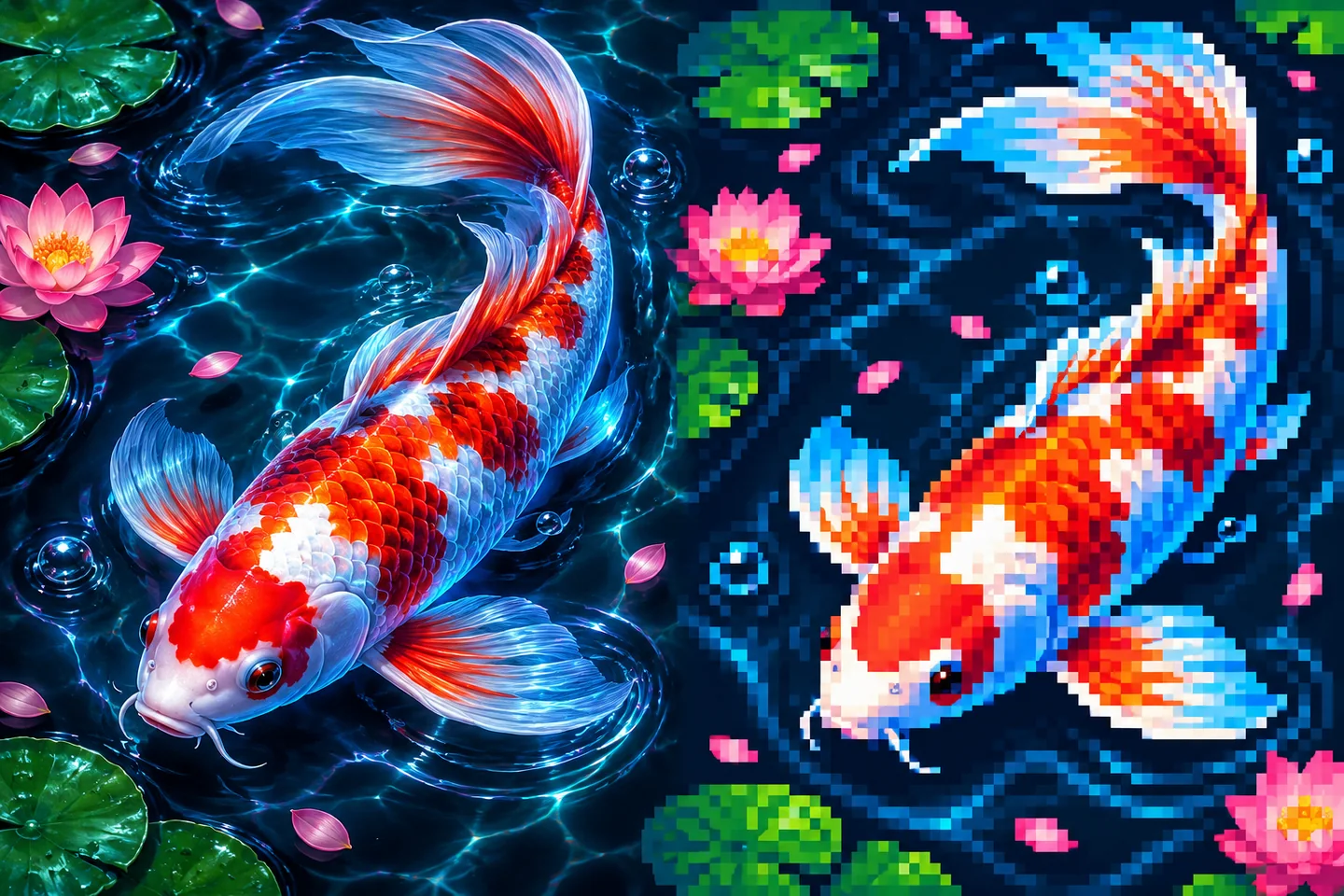
A retro event graphic or playful avatar can benefit from blocky shapes and a small color palette. This Image Pixelator guide is about that decorative look, not hiding information. Generative pixelation is not secure redaction: never upload personal data with the expectation that an AI edit will conceal it safely. The illustration is a pixel-inspired concept, not a measured grid conversion. Use an already safe image, describe a simple visual hierarchy, and finish any exact pixel dimensions or palette rules in a dedicated pixel editor.
Try this workflowA prompt is prefilled; generation requires sign-in and available credits. Review model cost before submitting.
Prepare your input
- Use one reference JPEG, PNG, or WebP, maximum 15 MiB, containing only material safe to upload and share. Do not include addresses, IDs, faces needing anonymity, or other personal information for concealment.
- Pick a dominant subject with a clear silhouette, such as your own toy, a simple plant, or a consented avatar portrait. Busy crowds and fine lettering make poor decorative pixel-style sources.
- Write down the intended use and whether exact dimensions, a fixed palette, or an aligned pixel grid are required. Those technical requirements need separate finishing and validation outside this generative workflow.
Example prompt
Reinterpret this image I am authorized to edit as a decorative retro pixel-art-inspired graphic. Use large readable square-like color clusters, a limited warm-and-cool palette, a clear subject silhouette, and simple stepped edges. Keep the main pose and composition recognizable without fine photographic texture. Use a plain contrasting background with no lettering. This source contains no private information; the goal is a playful visual style, not anonymization, redaction, or concealment of identifying data.
Step-by-step workflow
- 1
Make the source safe before uploading
Inspect the complete image for names, faces requiring anonymity, documents, screens, and location clues. If privacy is the task, stop this workflow and perform irreversible redaction in a trusted editor before exporting a flattened copy. For decorative work, choose a source that is already safe to share. Removing information with a generative prompt is not a privacy guarantee, even when the preview looks unreadable.
- 2
Ask for a readable retro interpretation
Open Edit, sign in, and upload the single safe reference. Describe the silhouette, approximate visual coarseness, palette mood, and background contrast. Check the model's available settings and credits, then explicitly start generation. Keep lettering outside the request and avoid specifying a technical grid the tool cannot enforce. The result is an aesthetic interpretation, so broad shape relationships matter more than apparent pixel counts.
- 3
Inspect blocks, edges, and intended use
View the result small to check recognition, then enlarge it to inspect uneven blocks and stray smooth edges. Decide whether that inconsistency is acceptable for a decorative post. If you need an actual game sprite, reconstruct or finish it on a fixed grid in a pixel editor and validate the file there. Do not treat the generated style as an anonymized version of a sensitive original.
Choose the right kind of pixel task
The same word can describe visual decoration, exact block conversion, or an unsafe attempt at concealment. Decide which task you have before uploading. This app's prompt-led Edit tool supports a creative interpretation; it does not certify anonymity, grid alignment, or game-engine compatibility.
Decorative social image
Use a safe source and request simple shape clusters with a strong silhouette. Inspect the graphic at its final display size. Uneven block sizes may be acceptable if the image reads well and you do not describe it as a technically precise pixel conversion.
Exact mosaic conversion
If every block must share a specified size, use a conventional mosaic or resampling tool with explicit settings. Check the exported dimensions and edges yourself. A prompt saying 'large pixels' communicates an appearance, not a deterministic operation over the original pixel grid.
Production game sprite
Treat the generated image as a concept sketch. Rebuild it in a pixel editor with the required canvas, palette, transparency, and animation layout. Verify the asset in the target engine; a blocky picture alone is not a sprite sheet or a production-ready Minecraft skin.
Private information removal
Do not use generative AI to hide personal data. In a trusted editor, remove sensitive content irreversibly and export a flattened redacted file. Reopen that file and inspect all relevant areas and metadata before sharing; decorative pixelation is not secure redaction.
Limitations and responsible use
- A generated pixelated look can retain, alter, or invent identifying details. It cannot guarantee anonymity, and visually unreadable information should not be assumed safe. Keep sensitive data out of this workflow.
- The editor does not guarantee uniform cell size, a fixed palette, exact dimensions, transparency, seamless tiling, or ready-to-use game files. Verify technical requirements in an appropriate editor after treating this output as a concept.
- A signed-in account and credits are required, and safety filters may reject a request. No exact pixelation brush or local selection is supplied here; the prompt can affect the whole image.
Common questions
Can I pixelate an address before sharing a screenshot?
Do not use this generative workflow for that task. Remove the address through irreversible redaction in a trusted editor, export a flattened file, and verify it. Do that before uploading anywhere; an AI preview that looks obscured is not evidence of privacy protection.
Why are some blocks rounded or different sizes?
The model is drawing a pixel-inspired appearance rather than applying a fixed mosaic algorithm. Simplify the prompt and source for a cleaner concept. If uniform blocks are mandatory, use a dedicated editor with explicit cell-size or nearest-neighbor settings.
Can I use this directly as a small game character?
Use it as visual inspiration first. Set the actual canvas, pixel grid, palette, transparent background, and any animation frames in a pixel editor, then test the export in your game. The generated illustration does not establish those technical properties.