Practical image workflow
Executive Order Maker for Clearly Fictional Satire
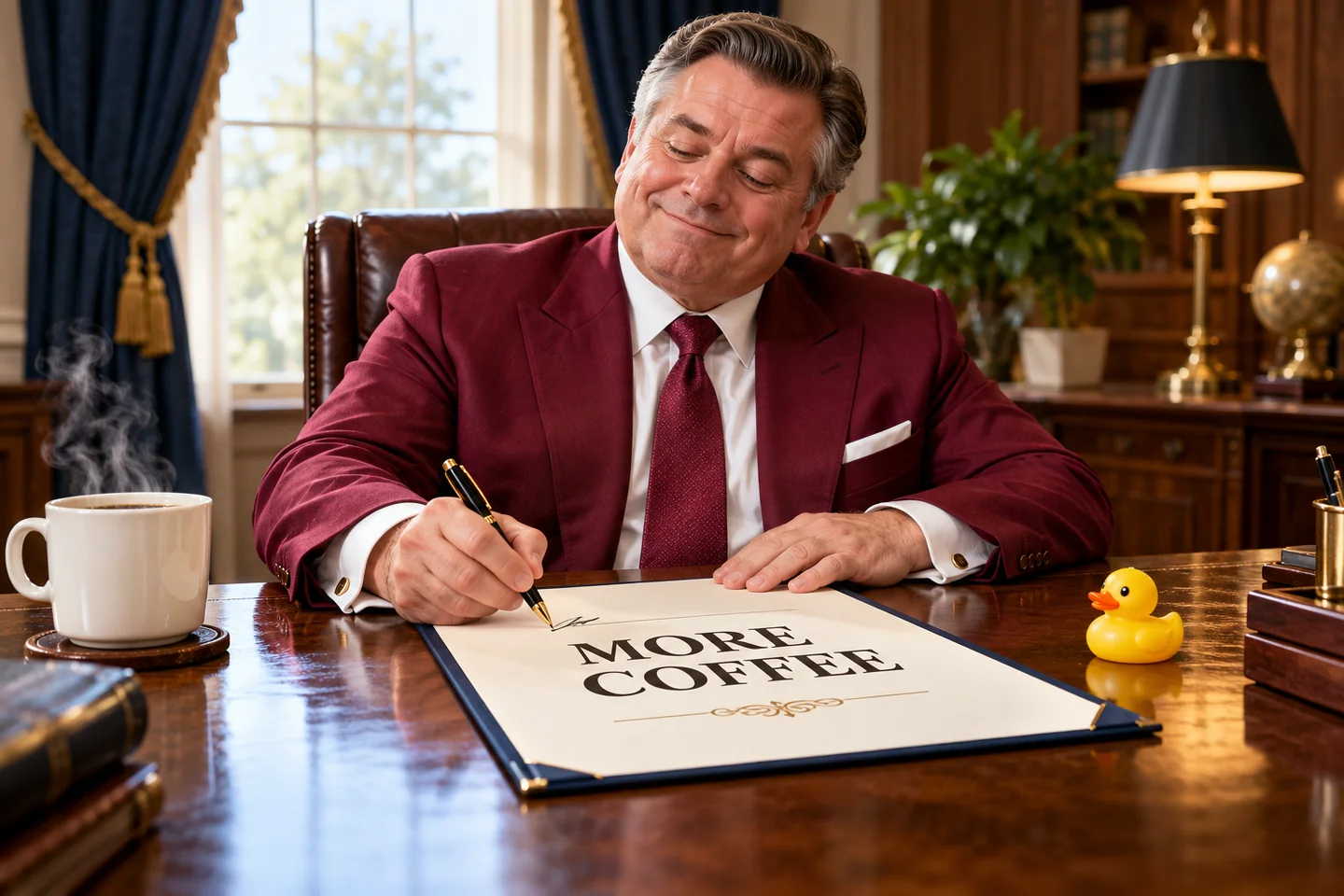
An executive order maker can support a harmless visual joke, such as a fictional town official declaring an afternoon biscuit break. This guide creates an obviously staged satire scene with invented characters and a readable parody notice added afterward. The illustration is an example of that visual premise, not an authentic document or evidence of a signing. The real workflow generates an image from a prompt; it does not issue orders, reproduce a real official's signature, or create a legal instrument.
Try this workflowA prompt is prefilled; generation requires sign-in and available credits. Review model cost before submitting.
Prepare your input
- Write a harmless fictional decree in one short sentence, such as an optional biscuit break; keep real emergencies, benefits, and legal rights out of the joke.
- Invent the person's name and setting, and plan a prominent fictional-satire label that remains visible when the image is shared or cropped.
- Use the homepage's text-to-image mode, sign in, and check required credits. Choose an available ratio that leaves room for the paper and external caption.
Example prompt
A whimsical editorial cartoon of an invented adult mayor in the fictional town of Teacup Bay, proudly presenting a simple paper on a small desk beside a plate of biscuits. Exaggerated storybook proportions, bright cheerful colors, visibly theatrical setting, no resemblance to a real politician. Leave the paper center blank for manual text and a large parody label. No national emblems, official seals, real signatures, government letterheads, or realistic news-photo styling.
Step-by-step workflow
- 1
Make the joke visibly fictional
Build the humor around an invented place and a low-stakes decree. Describe cartoon proportions and a theatrical environment so the scene reads as illustration before anyone reads the caption. Avoid borrowing an actual official's appearance, distinctive signature, or institutional insignia. Decide where the parody notice will sit and how it will survive a small social preview or a crop of the paper itself.
- 2
Generate the scene with blank text space
Submit the brief manually on the homepage. Inspect the candidate for a clean paper area, plausible hands, and a face that does not accidentally resemble a real officeholder. If the model invents official-looking stamps or illegible lettering, reject the candidate or revise the instructions. Keep the request focused on the illustrated scene rather than asking it to typeset a complete order with a convincing signature.
- 3
Finish the words and parody label yourself
Add the short joke and a prominent fictional-satire notice in a layout editor, using an ordinary decorative font rather than copied government letterhead. If you later need a visual revision, upload one JPEG, PNG, or WebP under 15 MiB through the edit shortcut. Recheck all wording after generation, since image-to-image can distort manually added letters. Share the result with its fiction context intact.
Keep the parody understandable outside its original post
A caption can disappear when an image is reposted. Check the image itself, the paper close-up, and the thumbnail so the humor remains legible without implying a real exercise of authority.
Invented authority
Use an obviously imaginary town and an original cartoon character. A generic desk is enough to support the premise. Remove recognizable government logos, office-specific backgrounds, and facial cues that would make viewers believe a named real official participated in the fictional signing.
Harmless decree
Choose a joke about snacks, office plants, or wearing mismatched socks. Avoid fake instructions about taxes, immigration, elections, medical care, or emergency procedures. The joke should work because its setting is absurd, rather than because someone could mistake it for consequential public information.
Visible fiction label
Add a prominent label directly within the final image and repeat it on any paper detail crop. Check the label at mobile thumbnail size. A tiny footer is easy to lose, while a clear notice near the joke helps the image retain its context.
No copied authentication
Do not add an actual signature or scanned seal as a finishing touch. Use a simple invented mark if the joke needs one, alongside the fiction label. Review both the illustration and added typography before exporting so decoration does not accidentally imitate an authentic government document.
Limitations and responsible use
- This workflow is for obvious fictional satire, not legal document preparation or impersonation. A generated paper has no official authority, and the page offers no validation, filing, or signature-authentication service.
- Image generation may invent symbols, lettering, or recognizable facial cues despite the prompt. Inspect every candidate and remove ambiguous results; a disclaimer in accompanying text cannot repair misleading imagery on its own.
- Signed-in generation requires credits, and safety filters may reject requests involving real public figures or deceptive contexts. No free quota, accurate typesetting, or unchanged text after a visual revision is promised.
Common questions
Can I use a real president's face or signature for the joke?
This guide deliberately uses an invented character and does not provide an impersonation workflow. Keep the humor in the fictional decree and cartoon setting. A copied signature or official-looking seal can make a cropped image misleading even when the original post says parody. Build a recognizably imaginary scene instead.
Why should I add the decree text manually?
The joke depends on exact wording and a visible fiction label, while image models may distort or invent letters. Generate the scene with a blank paper, then typeset both elements in a layout application. Inspect the final small preview as well as the full image before sharing it.
What if someone shares only the paper close-up?
Place the fiction notice inside the paper area too, and make the decree itself obviously playful. Avoid giving it a realistic document number, seal, or real institution name. If a close-up could plausibly look consequential, redesign it before publication rather than relying on a caption that may not travel with the image.